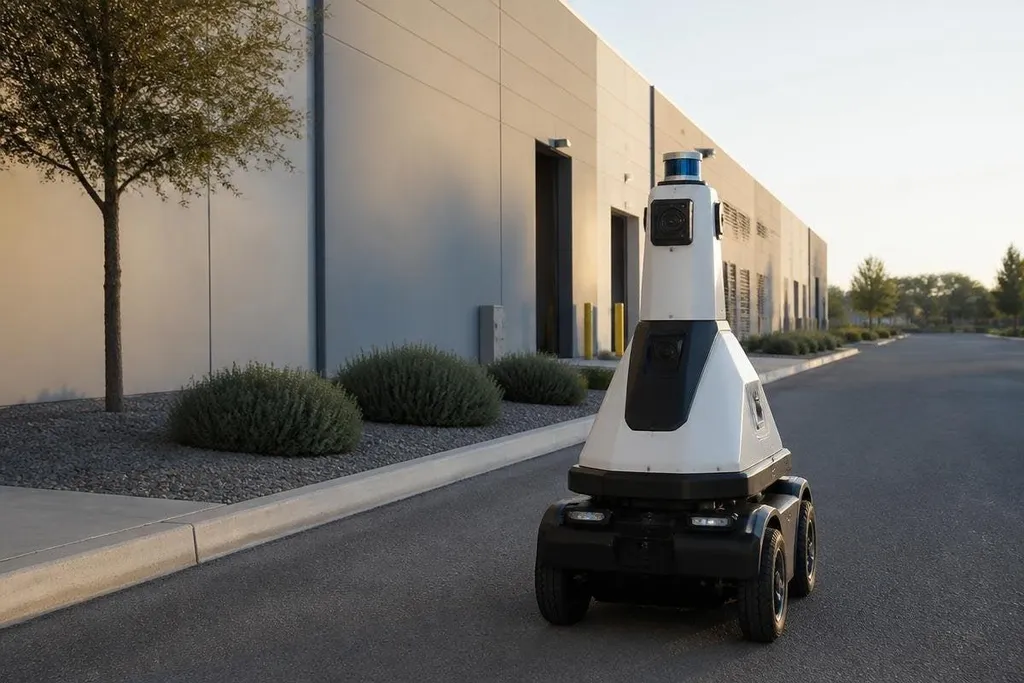
A security robot can patrol a site, send video, or flag movement. Without a named deployment, test result, price, or date, calling any product a major breakthrough would be guesswork. This guide sets the evidence you should ask for before you spend money.
Quick read
- Ask for an uncut patrol video and the site conditions behind it.
- Check how alerts reach a human and what happens after a false alarm.
- Treat battery life, network needs, safety controls, and service cost as part of the robot.
Autonomy that works outside a demo
The first area to watch is autonomous patrol. A robot needs to map its route, avoid people, handle blocked paths, and return to charge without a remote operator guiding each move.
A short video in an empty hallway proves very little about a busy site. The useful proof is a recorded run with the date, location, route length, speed, number of stops, and operator input. Ask whether the robot used its own sensors or received hidden instructions from a person off camera. That detail changes the cost of staffing the system.
Security teams also need to know what the robot does when its map changes. A moved barrier, parked vehicle, open gate, or wet floor can affect LiDAR and camera readings. The maker should show the recovery step, not only the clean run.
Detection that leads to a useful alert
Cameras and thermal sensors can spot people, vehicles, smoke, or heat. The hard part is turning that data into an alert that a guard can act on. A stream of false alarms can waste the same staff time the robot was meant to save.
Ask for results from the site where the robot ran. The report should state how many events it saw, how many alerts were correct, and how many people checked them. A maker that gives only a detection percentage leaves out the part that affects your shift.
Privacy also belongs in this test. Find out what the robot records, where the files sit, how long they stay there, and who can view them. Facial recognition, license-plate reading, and thermal images may bring different rules at your site, so the system settings need to match the work.
A security robot that records people also needs clear rules for stopping, servicing, and handing control to a guard. Security robotics reports from Robot24.com can show how named systems work at real sites before you judge their safety limits.
Safety, security, and service
A patrol robot shares space with guards, workers, visitors, and vehicles. Its safety case should cover stopping distance, low-speed movement, emergency stop access, and what happens after a sensor fault. A loud alarm or sudden turn can create a new problem inside a site that already has people moving through it.
The software needs review too. Check who can change routes, download video, update the robot, or view alerts from outside the site. Ask how the system works when the network drops. A robot that cannot report an event during an outage needs a clear local response.
Purchase price tells only part of the cost. Add charging hardware, network work, site mapping, service visits, replacement sensors, software fees, and staff training. If the maker won't list those items, the business case remains incomplete.
A buying check before you sign
Use this list during a supplier meeting:
- Proof: Request one uncut patrol showing the robot handling a blocked route.
- Workload: Count the hours a person must review alerts during a normal shift.
- Coverage: Mark blind areas, lifts, stairs, gates, and places without network service.
- Safety: Test the stop controls with the people who will work near the robot.
- Data: Record where video is stored, who can access it, and when it is deleted.
- Cost: Price the first year, including setup, service, training, and software.
The biggest useful step in security robotics will be a public record of long site runs with false alarms, downtime, operator hours, and service cost. Until makers publish that proof, buy the robot that answers those questions, not the one with the smoothest demo.